Thursday, 20 March 2025

samsung contact less payment not working repair samsung repair experts in hamilton new zealand


samsung NFC not working

watch full video here


Watch full video to fix samsung NFC ( Near Field Communication ) This video show you ow to diagnose if NFC contact less payment not working on your samsung phone. How to repair nfc on your phone. Samsung Repair in Hamilton New Zealand Call 078394111 or 078394188 or visit 937 victoria street hamilton new zealand We specialize in logic board and liquid damage repair and can fix your Laptop, MacBook, mobile phone , ipad, iphone , tablet , playstation, xbox or any other electronic gadget that has been deemed unfixable by another repair shop. *Have a repair shop and are looking to outsource logic board repairs? We offer discounted repairs to other repair shops, schools, large organizations and government agencies. — https://applefix.co.nz/contact/

samsung repair in hamilton new zealand

logicboard repair course in New Zealand Skill development Job Oriented short Training course. In Latest Gadgets, Smart Mobile Phones, Tablets, Laptops, Desktops, gaming gadget, Playstation, Xbox Repair Technology. This course is aimed / focused, to teach you to fix most common repairs an electronics repair shop could face in a practical working environment. Start your own business or increase your chances to get job quickly. https://applefix.co.nz/logicboard-rep… Mail in device info read here https://applefix.co.nz/send-your-device/


Macbook A1990 820-01041 Stuck 5V & 20V 0AmPs multiple faults C3215C00 macbook repair hamilton new zealand

Macbook Pro A1990 Board Number 820-01041 Came in Not Turning on. It was stuck on 5 Volts and 180MA , Replaced PD Controller C3215C00 UB300 , After replacing PD controller 20 volts restored but still macbook Not Turning On, found 5volt Power Rail Missing. Replaced U7650 TPS 51980A and Macbook turned on.

Macbook repair experts in Hamilton New Zealand Call 078394111 or 078394188 or visit 937 victoria street hamilton New zealand

We specialize in logic board and liquid damage repair and can fix your Laptop, MacBook, mobile phone , ipad, iphone , tablet , playstation, xbox or any other electronic gadget that has been deemed unfixable by another repair shop.

*Have a repair shop and are looking to outsource logic board repairs? We offer discounted repairs to other repair shops, schools, large organizations and government agencies. — https://applefix.co.nz/contact/


logicboard repair course in New Zealand

Skill development Job Oriented short Training course. In Latest Gadgets, Smart Mobile Phones, Tablets, Laptops, Desktops, gaming gadget, Playstation, Xbox Repair Technology.

This course is aimed / focused, to teach you to fix most common repairs an electronics repair shop could face in a practical working environment.  Start your own business or increase your chances to get job quickly.  https://applefix.co.nz/logicboard-rep...

 Mail in device info read here https://applefix.co.nz/send-your-device/


Tuesday, 18 March 2025

ipad 9th gen A2602 not charging | 1614A1 Charging IC Repair | ipad repair hamilton new zealand


iPad A2602 Not Turning On Not charging Repair. iPad Repair Experts in Hamilton New Zealand Call 078394111 or visit 937 Victoria Street Hamilton New Zealand.

We specialize in logic board and liquid damage repair and can fix your Laptop, MacBook, mobile phone , ipad, iphone , tablet , playstation, xbox or any other electronic gadget that has been deemed unfixable by another repair shop.

*Have a repair shop and are looking to outsource logic board repairs? We offer discounted repairs to other repair shops, schools, large organizations and government agencies. — https://applefix.co.nz/contact/


logicboard repair course in New Zealand

Skill development Job Oriented short Training course. In Latest Gadgets, Smart Mobile Phones, Tablets, Laptops, Desktops, gaming gadget, Playstation, Xbox Repair Technology.

This course is aimed / focused, to teach you to fix most common repairs an electronics repair shop could face in a practical working environment.  Start your own business or increase your chances to get job quickly.  https://applefix.co.nz/logicboard-repair-course/

 Mail in device info read here https://applefix.co.nz/send-your-device/


How to replace charging ic on ipad?

Replacing the charging IC on an iPad 9th generation can be quite complex and typically requires advanced soldering skills and specialized tools. Here’s a general overview of the process:


### Tools and Materials Needed:

1. **Soldering Iron** - Fine tip for precision work.

2. **Solder** - Use a lead-free solder for safety.

3. **Flux** - Helps the solder flow and adhere.

4. **Solder Wick** - For removing old solder.

5. **Hot Air Rework Station** - Useful for heating components.

6. **Tweezers** - For handling small components.

7. **Multimeter** - For testing connections.

8. **Replacement Charging IC** - Ensure it's compatible with the iPad 9th gen.

9. **ESD Protection** - Wrist strap or mat to prevent static damage.


### General Steps:

1. **Power Off the Device**: Ensure the iPad is completely powered down.


2. **Disassemble the iPad**:

   - Carefully remove the screen using a suction cup and plastic prying tools. Be cautious of the flex cables.


3. **Locate the Charging IC**:

   - Identify the charging IC on the motherboard. You may need a schematic for precise identification.


4. **Remove the Old IC**:

   - Heat the area around the IC using a hot air station. Use the right temperature to avoid damage to surrounding components.

   - Once heated, use tweezers to gently lift the IC off the board.


5. **Clean the Area**:

   - Use solder wick to remove excess solder and clean the pads on the PCB.


6. **Place the New IC**:

   - Position the new charging IC in place, aligning it with the pads.


7. **Solder the IC**:

   - Apply a small amount of solder to each pin while ensuring no bridges form between pins.


8. **Reassemble the iPad**:

   - Once the soldering is done, reassemble the iPad by carefully putting the screen back in place.


9. **Test the Device**:

   - Power on the iPad and check if it charges properly.


### Important Notes:

- **Skill Level**: This is an advanced repair that requires experience in electronics repair. If you're unsure, consider seeking help from a professional.

- **Warranty**: Opening the device may void any existing warranty.

- **Static Electricity**: Always take precautions against static electricity to avoid damaging components.


If you don’t have experience with micro-soldering, it might be best to take the iPad to a repair shop. bring it to applefix & Tech engineers at 937 victoria street Hamilton new zealand


How to replace Samsung S24 Ultra Screen? Full Guide / Tutorial, Samsung repairs hamilton new zealand


Samsung S24 Ultra Broken Screen replacement Step by Step Guide | Samsung Repair In Hamilton New Zealand Call 078394111 or visit 937 Victoria Street hamilton @ AppleFix 7 Tech engineers

Replacing the screen on a Samsung Galaxy S24 Ultra can be complex, and it's recommended to proceed with caution. Here’s a general guide to help you through the process:


Tools Needed

Heat gun or hair dryer

Suction cup tool

Plastic spudger or opening tool

Phillips screwdriver (small)

Tweezers

Replacement screen

Adhesive strips (if needed)

Anti-static wrist strap (optional but recommended)

Step-by-Step Guide

1. Power Off the Device

Turn off your Galaxy S24 Ultra to avoid any electrical damage.

2. Remove the SIM Card Tray

Use a SIM eject tool to remove the SIM card tray.

3. Heat the Edges

Use a heat gun or hair dryer to warm up the edges of the phone. This helps soften the adhesive holding the screen in place.

4. Create a Gap

Attach a suction cup to the screen. Gently pull to create a small gap between the screen and the frame. Use a plastic spudger to insert into the gap.

5. Pry Open the Screen

Carefully slide the spudger around the edges to detach the adhesive. Be cautious of any cables or components inside.

6. Disconnect the Battery

Once the screen is slightly lifted, locate the battery connector. Use a Phillips screwdriver to remove the screws holding the cover in place, then gently disconnect the battery.

7. Remove the Broken Screen

Disconnect the screen by unscrewing the necessary screws and using a spudger to lift the connector. Carefully remove the broken screen from the device.

8. Install the New Screen

Place the new screen into position. Connect the screen cable and ensure it's secured.

9. Reconnect the Battery

Reconnect the battery, ensuring the connection is firm.

10. Test the Device

Before sealing everything back up, power on the device to test the new screen. Make sure touch functions and display quality are working properly.

11. Seal the Device

If everything is functioning, proceed to reattach the screen. Use adhesive strips to secure it, ensuring a tight fit.

12. Reinsert the SIM Card Tray

Finally, reinsert the SIM card tray and power on your device.


Monday, 17 March 2025

Samsung S24 Screen Repair guide | Samsung Repair Hamilton New Zealand

Samsung Broken screen repair DIY Guide. Complete video tutrial how to replace samsung broken screen or bring it to appleFix & Tech engineers at 937 victoria street hamilton new zeland or call 078394111 or 078394188.

Samsung Repair experts, samsung charging port repair or samsung battery replacement or samsung board level repair experts.

We specialize in logic board and liquid damage repair and can fix your Laptop, MacBook, mobile phone , ipad, iphone , tablet , playstation, xbox or any other electronic gadget that has been deemed unfixable by another repair shop.

Samsung Charging port and battery replacement

Samsung not charging or samsung battery replacement at Tech engineers 937 victoria street hamilton. We keeo samsung charging port and samsung batteries instock and usually fix same day.

Samsung Water damage repair

At Applefix & Tech engineers we have fully equipped work to fix samsung logicboard either water damaged or with any other problem

Samsung Phone Data recovery Specialist

*Have a repair shop and are looking to outsource logic board repairs? We offer discounted repairs to other repair shops, schools, large organizations and government agencies. — https://applefix.co.nz/contact/

logicboard repair course in New Zealand

Skill development Job Oriented short Training course. In Latest Gadgets, Smart Mobile Phones, Tablets, Laptops, Desktops, gaming gadget, Playstation, Xbox Repair Technology.

This course is aimed / focused, to teach you to fix most common repairs an electronics repair shop could face in a practical working environment.  Start your own business or increase your chances to get job quickly.  https://applefix.co.nz/logicboard-repair-course/


Thursday, 13 March 2025

laptop repairs in hamilton New zealand


Laptop repair Experts In Waikato Hamilton New Zealand

AppleFix & Tech Engineers at 937 victori Street Hamilton New Zealand provides world-class technical support & Laptop Repair services to an increasingly savvy end user based in Hamilton. Applefix & Tech Engineers has state of a art high-end laptop repair lab for easy repair. We fix laptop’s broken screen repair, to laptop logic board repair. All repairs are fixed onsite.

We fix all sort of problems for all laptop brands like HP, Toshiba, Macbook, Asus, Dell, Acer or any other laptop brand. Laptop repair in Hamilton New Zealand.

Laptop are essential parts of our day to day work in digital era that’s why we keep the parts in stock to fix it quickly.

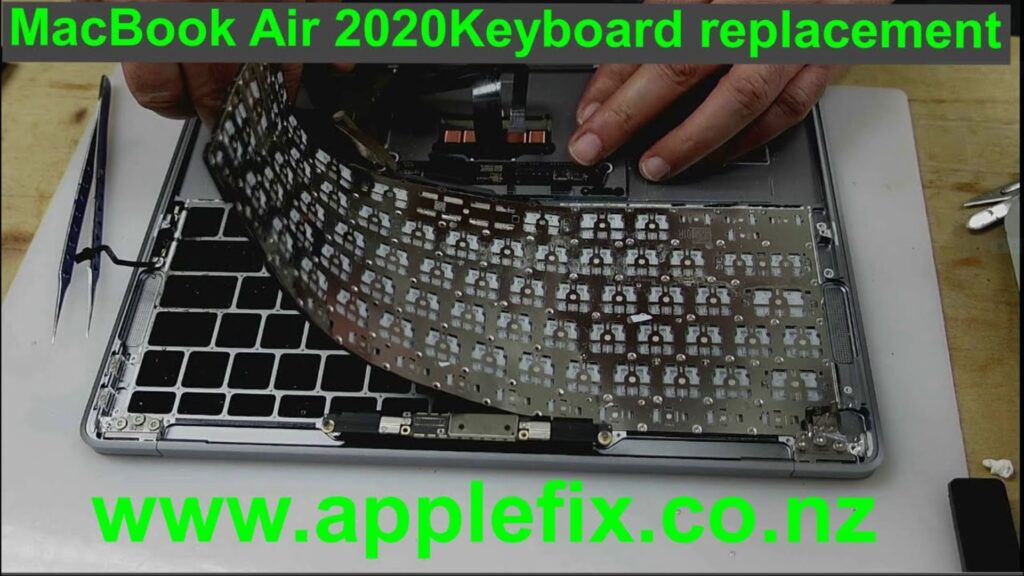
laptop Keyboard Replacement

Hire Apple Fix To Get Your Laptop Back To New!

Is your laptop having issues that you are unable to resolve? Is a routine reboot of the device unable to do the job? Laptop issues are pretty common. Like all electronic devices, they are bound to get attacked by viruses, lag or hang, or grow old with time. Moreover, you probably use your laptop on a regular basis, and accidents tend to happen. You or your little ones might spill water or crack the screen, or the laptop may fall, causing a loss of proper functioning or damage to the keyboard and screen.

Laptop Battery Replacement

Do you know who got their prices low but their quality high? Apple Fix! Whether you need a laptop screen replacement or laptop keyboard repair, we are here to fix everything. Our parts are genuine and authentic, and we will ensure that they last you for a long time to come. In addition, your laptop will be repaired in the best possible way and will look and work just like the original version.

Laptop Broken screen repair

We Will Get Your Laptop Functioning At The Best Prices

We will inspect your laptop, see what is wrong, and offer you a quote. If you are worried about the costs, do not fret. We provide incredible work at some of the best rates and offer a good value for money.

Different rates are assigned for different repairs. If your laptop is not working because water has been spilt on it, we will give you a reasonable price for laptop water damage repair. If you need a laptop hinge repair service, we do that very well too.

laptop water Damaged Repair

We offer some of the best rates in the whole of the country, and if you choose us, we guarantee you will be 100% satisfied with our work.

We Have A Highly Skilled Team Of Experts Who Will Get Your Laptop Working In Next To No Time!

At Apple Fix, our hiring process is rigorous, and we make sure to hire only the most skilled people. Our team consists of highly professional experts who are good at their work. They know exactly what they are doing and are very dedicated to restoring your laptop to its proper working condition.

Laptop Not Charging repair

In addition, they will do the work quickly so that you will not need to wait for your laptop for very long. Whether it’s a laptop dc jack repair or a total screen replacement, we will do all the work perfectly and deliver it at the promised date. At Apple Fix, we take deadlines very seriously and will make sure that your laptop is given back to you at the promised date and time. However, it will take longer for more significant damages as they take a while to repair.

The price and the time depend on the extent of the damage. However, the quality of our services is outstanding, and your laptop will last for a really long time after we return it to you. Our ability to meet deadlines, our skilled team of experts, and exceptional work make us the best laptop repair company in Hamilton. If you choose us, you will leave as a happy and satisfied customer.

Laptop Broken Hinge Repair

Laptop and Desktop Repairs

We have technician’s that will access and repair all problems that can be found on all models of laptops.

Computer laptop System Upgrades

Update your Windows 7, 8, 8.1, and 10 Operating System. Upgrade hardware like RAM or Hard-drive. We keep hard drive and RAM in store, if you want to increase the size of your RAM or hard drive from 250 GB to 500 GB or 1 Tb. Bring you device to us. We can replace it for you same day.

Laptop Computer repair Onsite Service

A highly skilled & reliable consultancy team with many years of IT experience. We provide solutions specific to your individual IT problems.

Liquid damage or water damage repair

We fix Liquid damage or moisture damage for all models of laptop like HP, Sony and Macbook. Let us help you to solve it. Bring your device at AppleFix Hamilton.

You can see some more information on same kind of repair here 

Find our another blog on laptop here

Virus & Spyware Removal

Spam, ransomware, and other malicious programs can have devastating effects on a business. We give the best support.

Data Recovery

We are specialist data recovery team is here to help with all your data recovery requirements.

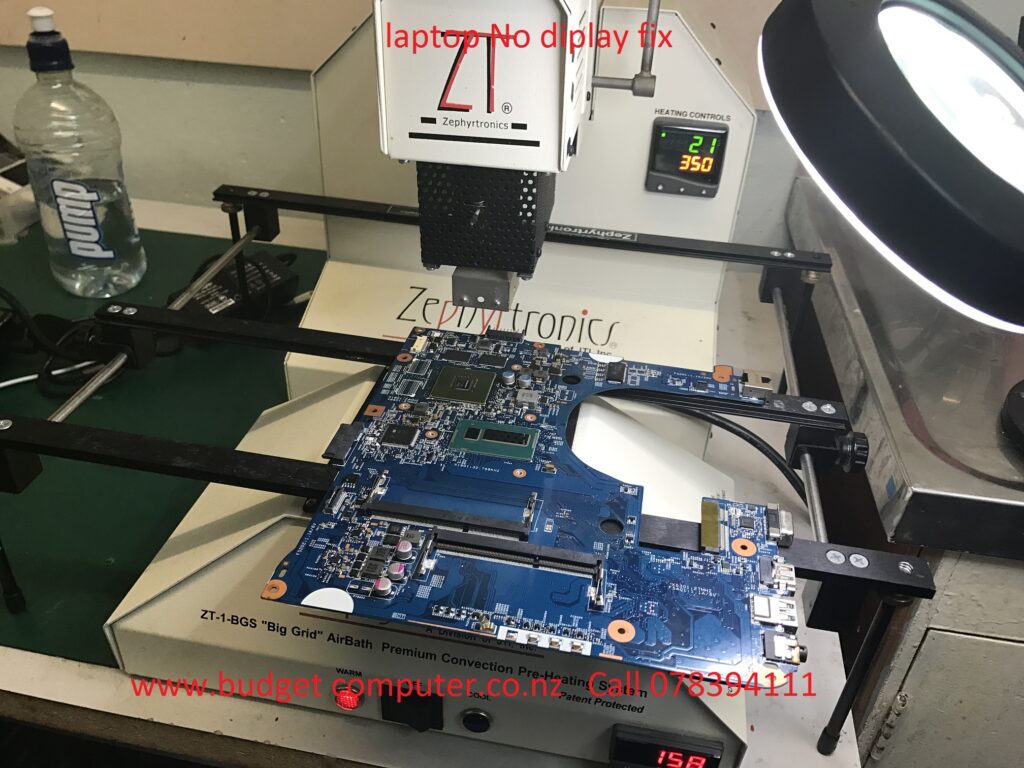
Laptop Motherboard / logic board Repair

We have specific soldering machine to fix motherboard issue. Fast Repairs with affordable pricing.

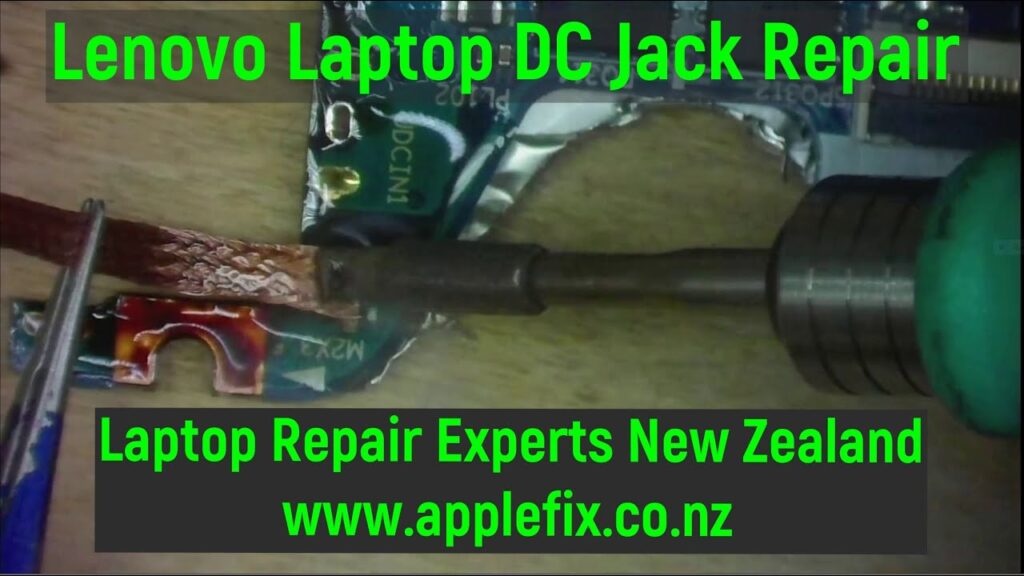
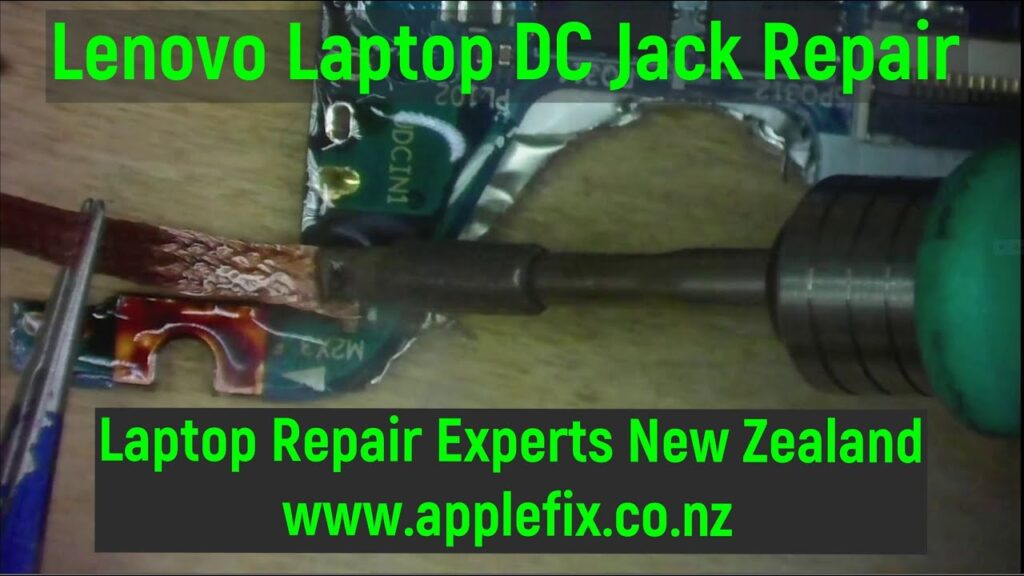
Laptop DC Jack Repair

Watch our youtube videos here

If you dont live in hamilton send your device

Wednesday, 5 March 2025

MacBook Air M2 A2681 820-02536 Not Turning on Stuck on 5V Shorted 5V_S2 macbook repair hamilton new zealand


Macbook Air 2022 A2681 M2 Board 820-02536 No power. There was a short on PP 5V S2 line. Replaced Capacitor CC335 and worked fine.

Macbook repair experts in Hamilton New zealand call 078394111 or visit 937 Victoria Street hamilton New Zealand

We specialize in logic board and liquid damage repair and can fix your Laptop, MacBook, mobile phone , ipad, iphone , tablet , playstation, xbox or any other electronic gadget that has been deemed unfixable by another repair shop.

*Have a repair shop and are looking to outsource logic board repairs? We offer discounted repairs to other repair shops, schools, large organizations and government agencies. — https://applefix.co.nz/contact/


logicboard repair course in New Zealand

Skill development Job Oriented short Training course. In Latest Gadgets, Smart Mobile Phones, Tablets, Laptops, Desktops, gaming gadget, Playstation, Xbox Repair Technology.

This course is aimed / focused, to teach you to fix most common repairs an electronics repair shop could face in a practical working environment.  Start your own business or increase your chances to get job quickly.  https://applefix.co.nz/logicboard-repair-course/

 Mail in device info read here https://applefix.co.nz/send-your-device/


Thursday, 6 February 2025

Apple Watch Water damaged repair. Apple watch repair In Hamilton New Zealand

Apple watch 7 45MM Badly water damaged. Watch full video for tear down and cleaning process. AppleFix & tech Engineers call 078394111 or 078394188 or visit 937 victoria street Hamilton New Zealand We specialize in logic board and liquid damage repair and can fix your Laptop, MacBook, mobile phone , ipad, iphone , tablet , playstation, xbox or any other electronic gadget that has been deemed unfixable by another repair shop. *Have a repair shop and are looking to outsource logic board repairs? We offer discounted repairs to other repair shops, schools, large organizations and government agencies. — https://applefix.co.nz/contact/ logicboard repair course in New Zealand Skill development Job Oriented short Training course. In Latest Gadgets, Smart Mobile Phones, Tablets, Laptops, Desktops, gaming gadget, Playstation, Xbox Repair Technology. This course is aimed / focused, to teach you to fix most common repairs an electronics repair shop could face in a practical working environment. Start your own business or increase your chances to get job quickly. https://applefix.co.nz/logicboard-repair-course/ Mail in device info read here https://applefix.co.nz/send-your-device/

Wednesday, 5 February 2025

iPhone 15 back glass replacement Full tutorial. iphone repair Hamilton New zealand


iPhone 14, 15 or 15 pro max back glass repair is easier than previous generation iphone back glass repair. watch full video for a DIY repair guide. iphone repair experts in hamilton new zeland appleix & tech engineers 937 victoria street hamilton new zealand call 078394111 or 078394188 We specialize in logic board and liquid damage repair and can fix your Laptop, MacBook, mobile phone , ipad, iphone , tablet , playstation, xbox or any other electronic gadget that has been deemed unfixable by another repair shop. *Have a repair shop and are looking to outsource logic board repairs? We offer discounted repairs to other repair shops, schools, large organizations and government agencies. — https://applefix.co.nz/contact/ logicboard repair course in New Zealand Skill development Job Oriented short Training course. In Latest Gadgets, Smart Mobile Phones, Tablets, Laptops, Desktops, gaming gadget, Playstation, Xbox Repair Technology. This course is aimed / focused, to teach you to fix most common repairs an electronics repair shop could face in a practical working environment. Start your own business or increase your chances to get job quickly. https://applefix.co.nz/logicboard-repair-course/ Mail in device info read here https://applefix.co.nz/send-your-device/

Friday, 17 January 2025

MacBook Screen Protectors | Ultra Clear, Invisible yet Strongest | Get Yours @ applwfix & tech engineers hamilton new zealand


 Protection Pro Screen Protectors For Phones, Tablets, Laptops, Watches, Cameras & car Multimedia Screens. 

Become a dealer Call 078394111 or 078394188
-Dealers advantages.

-Never Lose a Sale - Always In Stock - Any Device on-Demand

-Simplify Inventory - Ask about our proven "Long Tail" results

-Fastest design team with almost 50,000 patterns & adding 100's every month. If we don't have it, we will add in less than 24 hours

-Maximize profit by freeing up shelf space while adding sales opportunities

-Generate high-margin sales immediately and see why on-demand is the future of screen protection

www.applefix.co.nz

AppleFix & Tech Engineers

937 Victoria Street

Hamilton 3204

New Zealand


Friday, 3 January 2025

MacBook A1989 screen Backlight not working repair | Macbook repair Hamilton new zealand


watch full video here https://applefix.co.nz/macbook-a1989-turns-on-no-display-macbook-backlight-repair/

MacBook Pro A1989 820-00850 No Backlight | shorted PPVOUT_SO_LCDBKLT How to find short? AppleFix & Tech Engineers Call 078394111 visit 937 Victoria Street Hamilton New Zealand Macbook repair experts in hamilton New Zealabd. If you dont live in Hamilton follow instructions here to send your device https://applefix.co.nz/send-your-device/ We specialize in logic board and liquid damage repair and can fix your Laptop, MacBook, mobile phone , ipad, iphone , tablet , playstation, xbox or any other electronic gadget that has been deemed unfixable by another repair shop. *Have a repair shop and are looking to outsource logic board repairs? We offer discounted repairs to other repair shops, schools, large organizations and government agencies. — https://applefix.co.nz/contact/ logicboard repair course in New Zealand Skill development Job Oriented short Training course. In Latest Gadgets, Smart Mobile Phones, Tablets, Laptops, Desktops, gaming gadget, Playstation, Xbox Repair Technology. This course is aimed / focused, to teach you to fix most common repairs an electronics repair shop could face in a practical working environment. Start your own business or increase your chances to get job quickly. https://applefix.co.nz/logicboard-rep... Mail in device info read here https://applefix.co.nz/send-your-device/

Sunday, 22 December 2024

iPad 10th gen not turning on repair hamilton new zealand

 watch full video here https://applefix.co.nz/ipad-10th-gen-not-turning-on-repair-hamilton-new-zealand/


AppleFix & Tech Engineers New Zealand Call 078394111 or visit 937 victoria street Hamilton New Zealand iPad 10th Generation Not Turing on | How to replace charging port on ipad 10th generation A2757 A2696 A2777.

A general guide to replace charging port on ipad 10

Replacing the charging port on an iPad 10th generation (2022) can be a complex task, requiring precision and technical skills. It involves removing internal components and safely detaching the old charging port. Here’s a step-by-step guide to help you perform the replacement:

Tools Needed:

1. Pentalobe screwdrivers

2. Phillips screwdriver

3. Plastic prying tools

4. Tweezers

5. Suction cup tool

6. SIM card ejector tool (if needed)

7. Heat pad or hairdryer (optional, for softening adhesive)

8. Replacement charging port

Preparation:

• Power Off the iPad: Ensure the device is completely powered off to avoid any damage or short circuit.

• Remove the SIM Card (if applicable): Use the SIM ejector tool to remove the SIM card tray.

Step-by-Step Replacement:

1. Heat the iPad (Optional)

• Use a heat pad or a hairdryer to soften the adhesive on the iPad’s display. Apply moderate heat for about 2-3 minutes to make it easier to remove the screen.

2. Open the iPad

• Use a suction cup tool to gently lift the screen. Place the suction cup on the screen, near the edge. If the screen is not lifting easily, use a plastic prying tool to carefully separate the screen from the frame.

• Work your way around the perimeter, ensuring you don’t apply too much force to avoid cracking the screen.

3. Disconnect the Battery

• Once the screen is separated, locate the battery connector. Disconnect the battery to ensure that there’s no power running through the device during repairs.

• Use a Phillips screwdriver to remove screws securing the battery connector, and then gently lift it off using a plastic prying tool.

4. Remove Internal Components Blocking the Charging Port

• If there are any cables, metal shields, or components obstructing access to the charging port, carefully remove them. Use a small Phillips screwdriver or tweezers to handle these parts.

• Keep track of the screws and components removed for reassembly.

5. Remove the Old Charging Port

• The charging port is typically located at the bottom of the iPad. Use a Phillips screwdriver to remove any screws holding it in place.

• Use Hot air and precision tweezers to gently pull the charging port when solder is melted.

6. Install the New Charging Port

• Position the new charging port into place, making sure the connectors align with the motherboard.

• Solder new charging port with soldering iron as shown in the above video.

7. Reassemble the iPad

• Reconnect the battery by carefully placing the battery connector back into position.

• Reinstall any internal components or metal shields that were removed during the disassembly process.

• Carefully align the screen with the iPad frame and press it into place. Be sure to remove any old adhesive residue before resealing the device.

8. Test the Charging Port

• Power the iPad back on and check if the charging port works correctly. Plug in a charger and ensure that it charges the device.

9. Final Assembly

• Once the new charging port is working, ensure that everything is securely in place and that the screen is properly attached to the frame.

• Power off the device one more time, and then fully reassemble it by tightening screws and checking for any loose parts.

________________________________________

Important Tips:

• Be Careful with the Screen: iPads have delicate displays, so always use plastic prying tools rather than metal tools to avoid damage.

• Document the Process: Take photos as you go, so you can remember the order and orientation of the components during reassembly.

• Work in a Clean Area: Avoid working on a soft surface like a carpet, which can generate static electricity or make it harder to find small parts.

If you’re unsure about any step or feel uncomfortable performing the repair, it’s always best to consult a professional technician. Or bring it to applefix & Tech engineers 937 victoria street Hamilton New Zealand or Call 078394111 or 078394188