Wednesday, 25 June 2025

Macbook pro a1707 82000281 shorted pp3v3_s4 How to use thermal camera to detect short macbook repair hamilton new zealand

Macbook Pro 15" NO Power, Short on Multiple lines, pp3v3_s4 and pp3v3_s5, UB203 getting hot but fault was somewhere else.

Macbook repair experts In hamilton New Zealand Call 078394111 or visit 937 victoria street Hamilton New Zealand

Microsildering Workshops. Learn Microsoldering in 5 Days contact us www.applefix.co.nz/contact


If you live in Waikato Hamilton drop off AppleFix 937 Victoria Street Hamilton New Zealand or call 078394111 or email support@applefix.co.nz


Mail in Repair find instructions here https://applefix.co.nz/send-your-device/

We specialize in logic board and liquid damage repair and can fix your Laptop, MacBook, mobile phone , ipad, iphone , tablet , playstation, xbox or any other electronic gadget that has been deemed unfixable by another repair shop.

*Have a repair shop and are looking to outsource logic board repairs? We offer discounted repairs to other repair shops, schools, large organizations and government agencies. — https://applefix.co.nz/contact/


logicboard repair course in New Zealand

Skill development Job Oriented short Training course. In Latest Gadgets, Smart Mobile Phones, Tablets, Laptops, Desktops, gaming gadget, Playstation, Xbox Repair Technology.

This course is aimed / focused, to teach you to fix most common repairs an electronics repair shop could face in a practical working environment.  Start your own business or increase your chances to get job quickly.  https://applefix.co.nz/logicboard-rep...

 Mail in device info read here https://applefix.co.nz/send-your-device/


Wednesday, 18 June 2025

MacBook Air M2 A2941 LCD replacement EASY Way. Macbook Broken Screen repair hamilton new zealand


Macbook Air 2023 Broken Screen replacement Tutorial.

Microsildering Workshops. Learn Microsoldering in 5 Days contact us www.applefix.co.nz/contact


If you live in Waikato Hamilton drop off AppleFix 937 Victoria Street Hamilton New Zealand or call 078394111 or email support@applefix.co.nz


Mail in Repair find instructions here https://applefix.co.nz/send-your-device/


Step-by-Step MacBook Air M2 (2023) Screen Replacement Guide

1. Power Down & Prepare

Shut down your MacBook.


Disconnect all cables and power sources.


Place the MacBook on a clean, soft surface (screen side down).


2. Remove Bottom Case Screws

Use a P5 Pentalobe screwdriver to remove the six bottom case screws.


Note: Two screws near the hinge are longer—keep track of screw lengths.


3. Open the Bottom Case

Gently lift the bottom case using a plastic pry tool.


Disconnect the battery to prevent short circuits:


Locate the battery connector near the trackpad.


Use a spudger to carefully disconnect it.


4. Remove Display Assembly

Locate the display cable connectors (near the hinge area).


Use a spudger to disconnect:


Display flex cable


Touch ID cable (if applicable)


Camera cable (if present)


Remove the hinge screws (Y000 Phillips screwdriver) securing the display.


Lift the display assembly away from the base.


5. Remove the Broken Screen

Lay the display face down on a microfiber cloth.


Remove the metal brackets around the screen (if any).


Use a heat gun/hair dryer to soften adhesive around the edges (if the screen is glued).


Carefully lift the screen using a suction handle.


Disconnect any remaining cables (backlight, touch sensor, etc.).


6. Install the New Screen

Connect the new screen’s cables (align carefully).


Secure the screen with adhesive or screws (depending on the replacement model).


Reattach metal brackets if removed.


7. Reassemble the MacBook

Reconnect the display cables to the logic board.


Reattach the display hinges and tighten screws.


Reconnect the battery.


Snap the bottom case back and screw it in (remember longer screws near the hinge).


8. Test the New Screen

Power on the MacBook and check:


Display brightness & colors


Touch ID (if applicable)


Webcam & microphone functionality


Wednesday, 11 June 2025

MacBook Pro A2338 Gone Dead by falling Resistor! 820-02020 Macbook repair hamilton new zealand

Microsildering Workshops. Learn Microsoldering in 5 Days contact us www.applefix.co.nz/contact


If you live in Waikato Hamilton drop off AppleFix 937 Victoria Street Hamilton New Zealand or call 078394111 or email support@applefix.co.nz


Mail in Repair find instructions here https://applefix.co.nz/send-your-device/


 Macbook Pro M1 2021 820-02020 Not turning on stuck on 5 Volts Fluctuating Ampere. Macbook repair Experts in Hamilton New Zealand.


We specialize in logic board and liquid damage repair and can fix your Laptop, MacBook, mobile phone , ipad, iphone , tablet , playstation, xbox or any other electronic gadget that has been deemed unfixable by another repair shop.

*Have a repair shop and are looking to outsource logic board repairs? We offer discounted repairs to other repair shops, schools, large organizations and government agencies. — https://applefix.co.nz/contact/


logicboard repair course in New Zealand

Skill development Job Oriented short Training course. In Latest Gadgets, Smart Mobile Phones, Tablets, Laptops, Desktops, gaming gadget, Playstation, Xbox Repair Technology.

This course is aimed / focused, to teach you to fix most common repairs an electronics repair shop could face in a practical working environment.  Start your own business or increase your chances to get job quickly.  https://applefix.co.nz/logicboard-rep...


Wednesday, 4 June 2025

Nintendo Switch 3DS Not Charging Solution | Nintendo switch Repair Hamilton New Zealand |


Nintendo switch 3DS Charging circuit is simple & easy to fix in most of the casses you dont need to replace charging port but you can fix the same port. Watch video for triks to fix Nintendo switcg 3DS charging port. Call 078394111 or visit 937 victoria street Hamilton New Zealand Tech Engineers & AppleFix www.applefix.co.nz

We specialize in logic board and liquid damage repair and can fix your Laptop, MacBook, mobile phone , ipad, iphone , tablet , playstation, xbox or any other electronic gadget that has been deemed unfixable by another repair shop.

*Have a repair shop and are looking to outsource logic board repairs? We offer discounted repairs to other repair shops, schools, large organizations and government agencies. — https://applefix.co.nz/contact/


watch full video here


logicboard repair course in New Zealand

Skill development Job Oriented short Training course. In Latest Gadgets, Smart Mobile Phones, Tablets, Laptops, Desktops, gaming gadget, Playstation, Xbox Repair Technology.

This course is aimed / focused, to teach you to fix most common repairs an electronics repair shop could face in a practical working environment.  Start your own business or increase your chances to get job quickly.  https://applefix.co.nz/logicboard-repair-course/

 Mail in device info read here https://applefix.co.nz/send-your-device/

Monday, 2 June 2025

SSD NVME M2 not detected windows 11 Simple Fix | Laptop Repair Hamilton new zealand

Acer Predator Helios Neo 16 PHN16-71-732H SSD NOT detected Watch full video for solution. Laptop repair in Hamilton New Zealand call 078394111 or visit 937 victoria street Hamilton New Zealand www.applefix.co.nz

You can also follow below procedure if ssd is not detected during windows instalation

If your M.2 SSD is not being detected during Windows 11 installation, it can be due to a few common causes. Here's a step-by-step guide to troubleshoot and fix the issue:

________________________________________

🔧 1. Check BIOS/UEFI Settings

• Restart your PC and enter the BIOS/UEFI (usually by pressing DEL, F2, or F12 during startup).

• Look for these settings:

o Storage Configuration – Make sure M.2/NVMe is enabled.

o SATA Mode – If it's set to RAID, try switching it to AHCI.

o Secure Boot – Try disabling it temporarily.

o CSM (Compatibility Support Module) – Try enabling or disabling it (depending on your motherboard and SSD type).

o NVMe Configuration – See if the drive is recognized here.

________________________________________

📦 2. Load Storage Drivers During Installation

Sometimes the Windows installer doesn’t have the right drivers for your SSD.

• Download the Intel Rapid Storage Technology (IRST) driver or your motherboard/storage controller driver from the manufacturer’s website.

• Extract it to a USB drive.

• During Windows installation, on the "Where do you want to install Windows?" screen, click "Load Driver" and point it to the USB.

We specialize in logic board and liquid damage repair and can fix your Laptop, MacBook, mobile phone , ipad, iphone , tablet , playstation, xbox or any other electronic gadget that has been deemed unfixable by another repair shop.

or you can try below

If an SSD in an Acer Predator laptop isn't detected during Windows 11 installation, it's likely due to a storage controller setting in the BIOS or a missing driver. You may need to change the SATA mode to AHCI, disable Secure Boot, and potentially update the BIOS. It's also possible that the Windows installation media doesn't include the necessary storage drivers, requiring you to load them manually


*Have a repair shop and are looking to outsource logic board repairs? We offer discounted repairs to other repair shops, schools, large organizations and government agencies. — https://applefix.co.nz/contact/


logicboard repair course in New Zealand

Skill development Job Oriented short Training course. In Latest Gadgets, Smart Mobile Phones, Tablets, Laptops, Desktops, gaming gadget, Playstation, Xbox Repair Technology.

This course is aimed / focused, to teach you to fix most common repairs an electronics repair shop could face in a practical working environment.  Start your own business or increase your chances to get job quickly.  https://applefix.co.nz/logicboard-rep...

 Mail in device info read here https://applefix.co.nz/send-your-device/


Friday, 9 May 2025

MacBook Pro M3 2023 No Power | Shorted SN01277680 Audio IC | Macbook Repair hamilton new zealand

Macbook Pro A2918 Not turning on Stuck on 5 Volt, MacBook Pro M3 2023, Not PD controller but shorted Audio IC. How to diagnose Macbook dead board? How to ultrasonic clean Liquid damaged ics with moisture damaged under IC.

AppleFix & Tech Engineers Call 937 Victoria Street Hamilton New Zealand. Call 078394111 or 078394188. www.applefix.co.nz  If you dont live in Hamilton New Zealand courier your device see instructions here https://applefix.co.nz/send-your-device/

We specialize in logic board and liquid damage repair and can fix your Laptop, MacBook, mobile phone , ipad, iphone , tablet , playstation, xbox or any other electronic gadget that has been deemed unfixable by another repair shop.

*Have a repair shop and are looking to outsource logic board repairs? We offer discounted repairs to other repair shops, schools, large organizations and government agencies. — https://applefix.co.nz/contact/


logicboard repair course in New Zealand

Skill development Job Oriented short Training course. In Latest Gadgets, Smart Mobile Phones, Tablets, Laptops, Desktops, gaming gadget, Playstation, Xbox Repair Technology.

This course is aimed / focused, to teach you to fix most common repairs an electronics repair shop could face in a practical working environment.  Start your own business or increase your chances to get job quickly.  https://applefix.co.nz/logicboard-repair-course/

 Mail in device info read here https://applefix.co.nz/send-your-device/


How to find Faulty Mosfet | HP ZBook 15 G4 No Power @| 0AMPS laptop repair hamilton new zeland


Sunday, 4 May 2025

iPad Frozen Screen & Cant restart cant use buttons solution | iPad repair hamilton new zealand

ipad 12.9 stuck on frozen screen , cant restart with on off button. Watch the video for a simple solution. Appl;eFix & Tech Engineers 937 victoria street Hamilton New Zealand Call 078394111 www.applefix.co.nz

We specialize in logic board and liquid damage repair and can fix your Laptop, MacBook, mobile phone , ipad, iphone , tablet , playstation, xbox or any other electronic gadget that has been deemed unfixable by another repair shop.

*Have a repair shop and are looking to outsource logic board repairs? We offer discounted repairs to other repair shops, schools, large organizations and government agencies. — https://applefix.co.nz/contact/


logicboard repair course in New Zealand

Skill development Job Oriented short Training course. In Latest Gadgets, Smart Mobile Phones, Tablets, Laptops, Desktops, gaming gadget, Playstation, Xbox Repair Technology.

This course is aimed / focused, to teach you to fix most common repairs an electronics repair shop could face in a practical working environment.  Start your own business or increase your chances to get job quickly.  https://applefix.co.nz/logicboard-rep...

 Mail in device info read here https://applefix.co.nz/send-your-device/


Sunday, 6 April 2025

ProTection Pro, World's Most Advanced screen Protect For Phones, Tablets and more

Become a Dealer Call 078394111 or visit 937 Victoria street Hamilton New Zealand. -Never Lose a Sale - Always In Stock - Any Device on-Demand -Simplify Inventory - Ask about our proven "Long Tail" results -Always In Stock and ready for fast delivery --anywhere in the world -Fastest design team with almost 50,000 patterns & adding 100's every month. If we don't have it, we will add in less than 24 hours -Generate high-margin sales immediately and see why on-demand is the future of screen protection -Maximize profit by freeing up shelf space while adding sales opportunities

Tuesday, 1 April 2025

Samsung Error Mobile network not available Repair | Samsung Repair In Hamilton nz


Samsung Error Mobile network not available Repair  | Samsung Repair In Hamilton NZ Tech Engineers

Samsung Note 20 ultra cant make call out ' Mobile Network Not Avaiable"Mobile network not avaiable " or " Not registered on network" This is a hardware solution to this problem. We find out that network cable FPC connectors are damaged. Watch in the video how to replace smsung network cable connectors. Samsung repair experts in hamilton new zeland Tech engineers & appleFix at 937 victoria street hamilton new Zeeland call 078394111 or 078394188

For any Samsyg repair contact us all repairs instore

-samsung water Damaged repair

-samsug screen replacement

-samsung battery replacement

-samsung charging port repair

-samsung logic board repairhttps

if you dont live in hamilton send your device follow instructions here

https://applefix.co.nz/send-your-device/

We specialize in logic board and liquid damage repair and can fix your Laptop, MacBook, mobile phone , ipad, iphone , tablet , playstation, xbox or any other electronic gadget that has been deemed unfixable by another repair shop.

*Have a repair shop and are looking to outsource logic board repairs? We offer discounted repairs to other repair shops, schools, large organizations and government agencies. — https://applefix.co.nz/contact/


logicboard repair course in New Zealand

Skill development Job Oriented short Training course. In Latest Gadgets, Smart Mobile Phones, Tablets, Laptops, Desktops, gaming gadget, Playstation, Xbox Repair Technology.

This course is aimed / focused, to teach you to fix most common repairs an electronics repair shop could face in a practical working environment.  Start your own business or increase your chances to get job quickly.  https://applefix.co.nz/logicboard-repair-course/

 Mail in device info read here https://applefix.co.nz/send-your-device/


Sunday, 30 March 2025

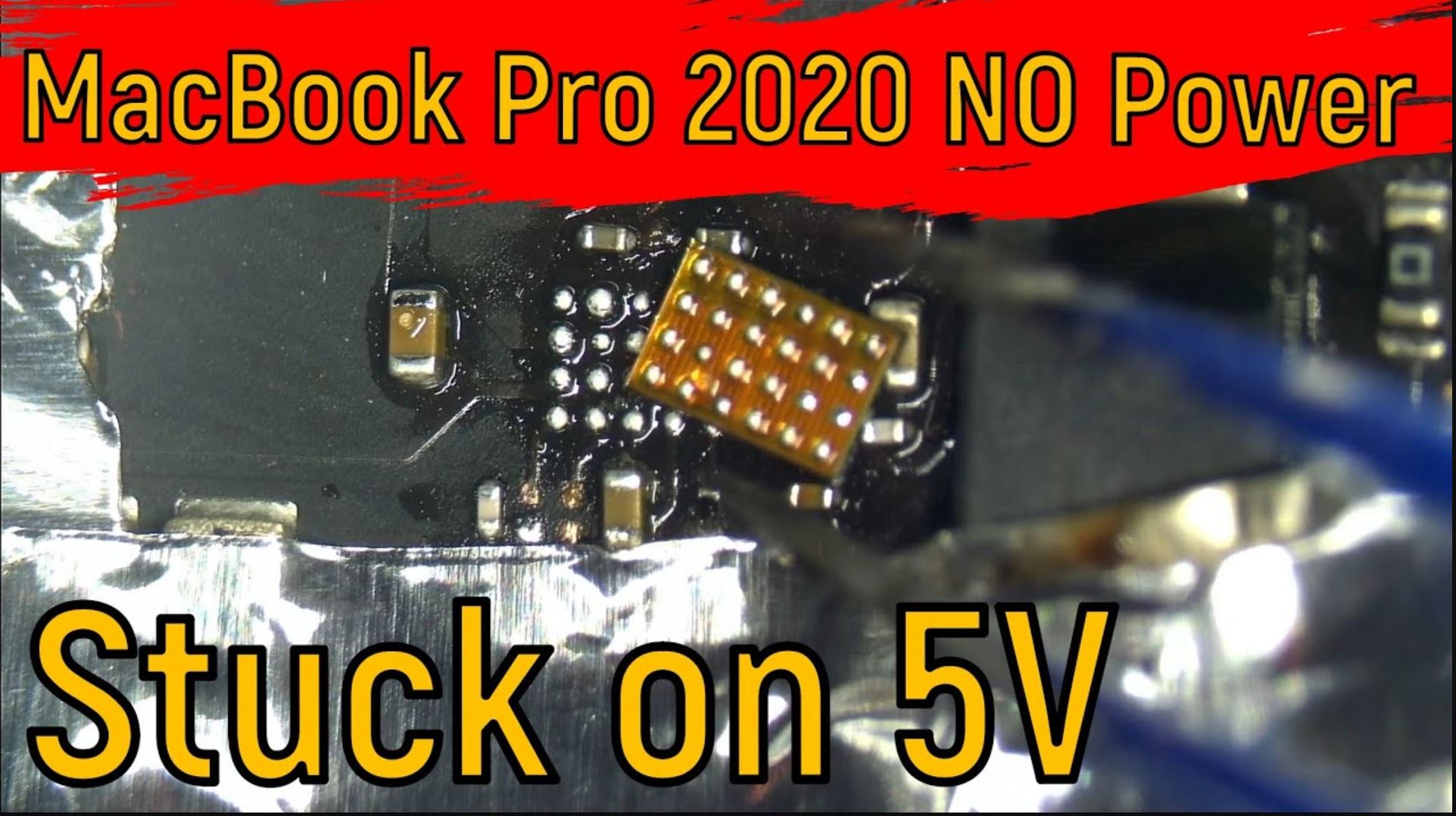
MacBook pro 2020 not turning on Stuck on 5Volts

 https://applefix.co.nz/macbook-pro-2020-not-turning-on-stuck-on-5volts/


Macbook Repair experts in Hamilton New Zealand appleFix & Tech Engineers Call 078394111 or visit 937 Victoria Street Hamilton New Zealand.


 We specialize in logic board and liquid damage repair and can fix your Laptop, MacBook, mobile phone , ipad, iphone , tablet , playstation, xbox or any other electronic gadget that has been deemed unfixable by another repair shop.

*Have a repair shop and are looking to outsource logic board repairs? We offer discounted repairs to other repair shops, schools, large organizations and government agencies. — https://applefix.co.nz/contact/


logicboard repair course in New Zealand

Skill development Job Oriented short Training course. In Latest Gadgets, Smart Mobile Phones, Tablets, Laptops, Desktops, gaming gadget, Playstation, Xbox Repair Technology.

This course is aimed / focused, to teach you to fix most common repairs an electronics repair shop could face in a practical working environment.  Start your own business or increase your chances to get job quickly.  https://applefix.co.nz/logicboard-repair-course/

 Mail in device info read here https://applefix.co.nz/send-your-device/
Thursday, 27 March 2025

Hp Spectre X360 Turning on But Not Charging | Laptop Repair Hamilton New zealand

Soldering a Type-C charging port on an HP Spectre x360 requires precision and the right tools. Since the USB-C port is surface-mounted (SMD), improper soldering can damage the motherboard. Here’s a step-by-step guide:


Tools & Materials Needed:

  1. Soldering Iron (Preferably a temperature-controlled one, set to 300–350°C)
  2. Solder Wire (Lead-free, flux-core recommended)
  3. Flux (Liquid or paste flux for better solder flow)
  4. Desoldering Tools (Solder wick, desoldering pump)
  5. Hot Air Rework Station (For removing the old port)
  6. Tweezers & Magnifying Glass (For precise placement)
  7. Isopropyl Alcohol & Brush (For cleaning)
  8. Multimeter (To check continuity after repair)
  9. Replacement USB-C Port (Exact model matching the original)

Step-by-Step Soldering Guide:

1. Disassemble the Laptop

  • Power off the laptop, remove the battery (if possible), and disconnect all power sources.
  • Open the back panel carefully (check iFixit or HP’s service manual for your model).
  • Locate the USB-C port on the motherboard.

2. Remove the Damaged USB-C Port

  • Apply flux around the port’s solder joints.
  • Use a hot air station (~350°C) to heat the port evenly until the solder melts.
  • Gently lift the port with tweezers once the solder is molten.
  • Clean leftover solder with solder wick and desoldering pump.

3. Prepare the PCB Pads

  • Clean the pads with isopropyl alcohol.
  • Check for damaged or lifted pads—if any are missing, you may need jumper wires.
  • Apply a small amount of fresh solder to the pads for better adhesion.

4. Solder the New USB-C Port

  • Place the new port in position (align it perfectly with the pads).
  • Secure one corner with a tiny amount of solder first.
  • Solder the remaining pins carefully using a fine-tip soldering iron.
  • For multi-pin ports, drag soldering with flux helps avoid bridges.

5. Inspect & Test

  • Check for solder bridges (use a magnifier).
  • Clean excess flux with isopropyl alcohol.
  • Test continuity with a multimeter (check CC pins, VBUS, GND, etc.).
  • Reassemble the laptop and test charging/data transfer.

Common Issues & Fixes:

  • No Charging? → Check VBUS (5V) and CC pins for continuity.
  • Loose Connection? → Reflow solder joints with flux.
  • Short Circuit? → Look for solder bridges and clean with solder wick.

Warnings:

⚠️ ESD Safety: Use an anti-static wrist strap.
⚠️ Heat Control: Too much heat can damage the motherboard.
⚠️ Skill Level: If you’re inexperienced, consider professional repair.


Sunday, 23 March 2025

Samsung A35 5G Screen Replacement Tutorial | Complete Tear Down | Samsung repair hamilton new zealand


A complete Tear Down of Samsung A35 sm-a356 how to replace lcd screen on samsung a35

How to replace lcd screen on samsung a35 5g

Replacing the screen on a Samsung A35 5G can be a delicate process. Here’s a general guide to help you through it. Make sure to have the right tools and follow safety precautions.


Tools Needed:

Heat gun or hair dryer

Plastic opening tools

Pentalobe screwdriver

Phillips screwdriver

Suction cup

Tweezers

New screen replacement

Steps:

Power Off the Device: Ensure the phone is completely powered off to avoid any electrical damage.


Remove the Back Cover:


Use a heat gun or hair dryer to gently heat the edges of the back cover. This softens the adhesive.

Use a plastic opening tool to pry open the back cover. Start at a corner and work your way around. Be gentle to avoid cracking the cover.

Disconnect the Battery:


Locate the battery connector and carefully disconnect it using a plastic opening tool. This prevents any short circuits.

Remove the Broken Screen:


Heat the edges of the screen to soften the adhesive.

Use a suction cup to lift the screen slightly and insert a plastic opening tool to separate it from the frame. Work your way around the screen until it’s free.

Disconnect Screen Cables:


Once the screen is loose, locate the display connectors and carefully disconnect them using tweezers or a plastic tool.

Install the New Screen:


Connect the new screen’s cables to the motherboard.

Carefully position the screen into place.

Reconnect the Battery:


Reconnect the battery connector securely.

Seal the Device:


Before sealing, power on the device to ensure the new screen works correctly.

Once confirmed, use adhesive or double-sided tape to secure the screen.

Reattach the back cover by pressing it firmly into place.

Final Check:


Power on the device again to ensure everything is functioning properly.

Tips:

Be patient and gentle throughout the process to avoid damaging components.

If you’re unsure, consider watching video tutorials or seeking professional help.

Disclaimer:

This guide is for informational purposes. Attempting to replace your screen may void warranties and can lead to further damage if not done correctly. Proceed with caution! if not sure bring it to applefix & tech Engineers at 937 victoria street hamilton or call 078393=4111


Thursday, 20 March 2025

samsung contact less payment not working repair samsung repair experts in hamilton new zealand


samsung NFC not working

watch full video here


Watch full video to fix samsung NFC ( Near Field Communication ) This video show you ow to diagnose if NFC contact less payment not working on your samsung phone. How to repair nfc on your phone. Samsung Repair in Hamilton New Zealand Call 078394111 or 078394188 or visit 937 victoria street hamilton new zealand We specialize in logic board and liquid damage repair and can fix your Laptop, MacBook, mobile phone , ipad, iphone , tablet , playstation, xbox or any other electronic gadget that has been deemed unfixable by another repair shop. *Have a repair shop and are looking to outsource logic board repairs? We offer discounted repairs to other repair shops, schools, large organizations and government agencies. — https://applefix.co.nz/contact/

samsung repair in hamilton new zealand

logicboard repair course in New Zealand Skill development Job Oriented short Training course. In Latest Gadgets, Smart Mobile Phones, Tablets, Laptops, Desktops, gaming gadget, Playstation, Xbox Repair Technology. This course is aimed / focused, to teach you to fix most common repairs an electronics repair shop could face in a practical working environment. Start your own business or increase your chances to get job quickly. https://applefix.co.nz/logicboard-rep… Mail in device info read here https://applefix.co.nz/send-your-device/


Macbook A1990 820-01041 Stuck 5V & 20V 0AmPs multiple faults C3215C00 macbook repair hamilton new zealand

Macbook Pro A1990 Board Number 820-01041 Came in Not Turning on. It was stuck on 5 Volts and 180MA , Replaced PD Controller C3215C00 UB300 , After replacing PD controller 20 volts restored but still macbook Not Turning On, found 5volt Power Rail Missing. Replaced U7650 TPS 51980A and Macbook turned on.

Macbook repair experts in Hamilton New Zealand Call 078394111 or 078394188 or visit 937 victoria street hamilton New zealand

We specialize in logic board and liquid damage repair and can fix your Laptop, MacBook, mobile phone , ipad, iphone , tablet , playstation, xbox or any other electronic gadget that has been deemed unfixable by another repair shop.

*Have a repair shop and are looking to outsource logic board repairs? We offer discounted repairs to other repair shops, schools, large organizations and government agencies. — https://applefix.co.nz/contact/


logicboard repair course in New Zealand

Skill development Job Oriented short Training course. In Latest Gadgets, Smart Mobile Phones, Tablets, Laptops, Desktops, gaming gadget, Playstation, Xbox Repair Technology.

This course is aimed / focused, to teach you to fix most common repairs an electronics repair shop could face in a practical working environment.  Start your own business or increase your chances to get job quickly.  https://applefix.co.nz/logicboard-rep...

 Mail in device info read here https://applefix.co.nz/send-your-device/